

Loading...

AI Exploded View Generator

Images
Visual Style
0/5000
Aspect Ratio
Resolution
Output format
Required credits
4

Sample Images

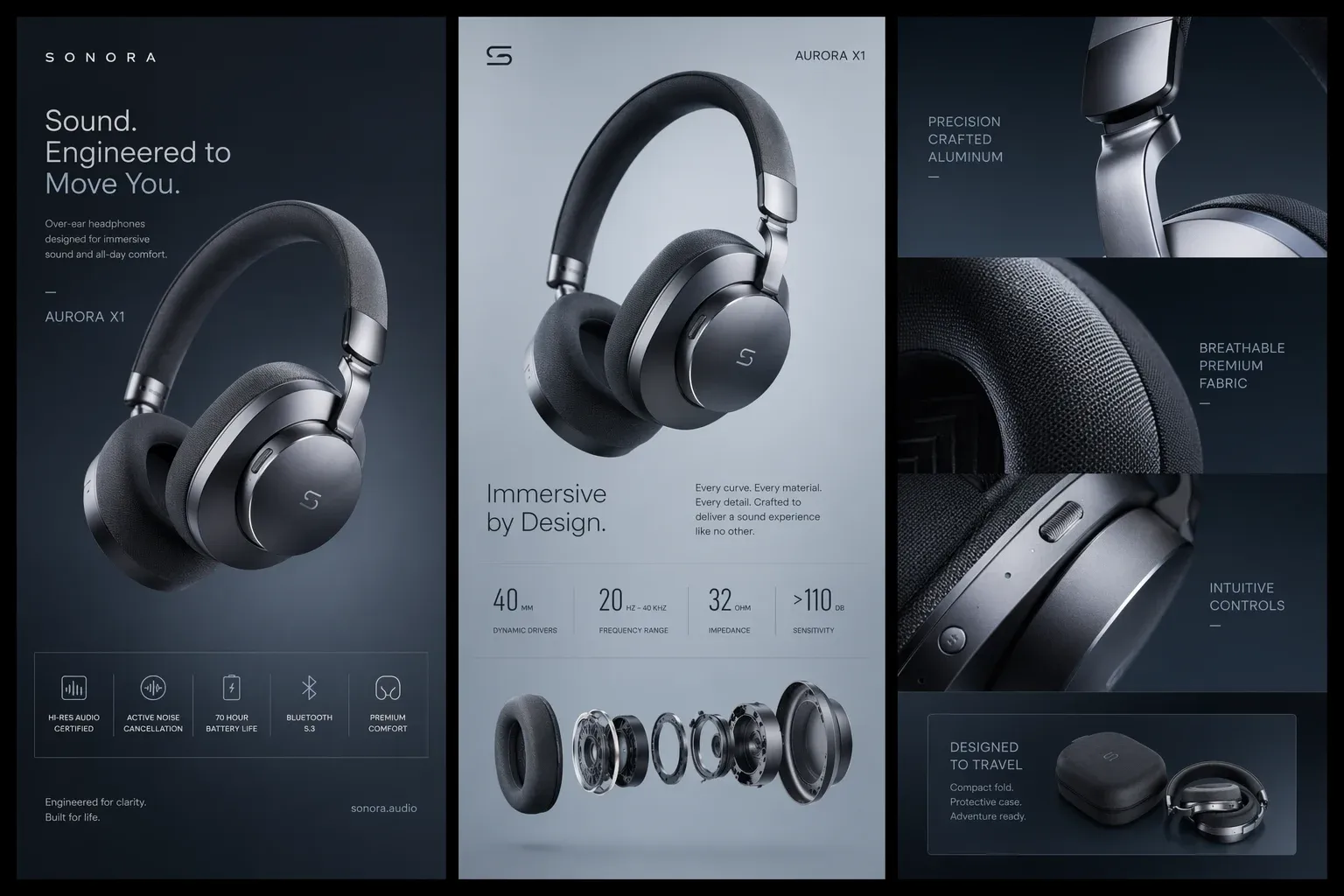
Concept campaign showing assembled over-ear headphones and an exploded row of earcup components

From Photo to Exploded View

Upload one product photo and use MiniMax H3 Image Edit to create one static exploded view. Show how visible pieces fit together in a single image for a product listing, a proposal, or an early design concept.

  1. Upload a clear product photo

    Use Upload files to add a photo that shows the complete product. A three-quarter view often reveals a top surface, a side, and the seams between parts in one shot. For a travel mug, include the lid, rim, and full base. Move props away from the silhouette and use soft light where glossy highlights would otherwise obscure a joint.

  2. Pick a visual style and name the pieces

    Choose Studio Stack for a lit product render, Assembly Diagram for a clean outline, or Parts Flat Lay for an overhead arrangement. The preset fills the Image Prompt field, where you can add your own instructions. For the mug, ask to lift the lid straight above the body and show the sealing ring only if you know it belongs there. Name any piece you want to keep together.

  3. Choose the frame and generate

    In Settings, use a tall Aspect Ratio when the parts stack vertically. Choose a wide frame if a row of parts needs room to spread across a slide. Leave enough space around the outermost pieces for the crop you intend to use. Select Generate and open the result to inspect the details. Download the still when the layout works for your intended size.

Product Exploded Views for Listings, Proposals, and Concepts

An AI product exploded view can answer a specific visual question. Decide whether your audience needs to recognize a feature, compare two design directions, or see which pieces belong together. That decision gives you a clearer brief than asking for a full teardown.

Show a feature on a product listing

Keep your assembled product photo as the main listing image and use the exploded view as a supporting image. For a refillable fragrance bottle, separate the cap and the confirmed removable refill to show what a buyer handles. Keep the bottle finish and color consistent with the listing. If different variants use different closures, illustrate one variant at a time and name it in the surrounding listing copy so shoppers can match the image to the correct item.


Amber fragrance bottle with a sculpted gold cap on a light stone display

Explain a design decision in a proposal

Use a separated view to focus a conversation on one decision. A lamp proposal might show the shade lifted away from the stem and base so a client can compare the shape of the shade with the weight of the base. Choose a quiet backdrop and give the part under discussion the most space. When comparing alternatives across slides, keep the angle and scale consistent so a change in the object is easy to spot.

Assembled brass table lamp with a dome shade and cylindrical base

Explore how a product kit is presented

Use Parts Flat Lay when the design question is about what belongs in a kit. In a toy concept, the figure, accessory, insert, and box can each have a place in the composition. Group the accessory with the figure and show the packaging off to one side so it reads as a separate object. This makes it easier to discuss the opening experience, choose which elements deserve close-up views, and brief the next round of packaging artwork.

Mushroom toy figure with a small watering can beside its leaf-patterned box

What to Check Before Sharing an Exploded View

Recognize the same product

Put the still next to the source photo. Compare distinctive details such as the number of buttons, the shape of a handle, or the finish at the base. Check details that distinguish the exact variant, including accessories sold with it. If the identity has drifted, tell the prompt which feature to keep, such as a squared handle with two visible attachment points.

Follow the joins from part to part

Trace the layout in the direction the parts come together. A circular cap should line up with the opening beneath it, and a pair of rails should have a recognizable matching edge. Where pieces overlap, ask for more space along the same axis. Where too much space makes related pieces look independent, bring that group closer together.

Treat hidden details as estimates

A photo supplies visible surfaces and seams. H3 Edit can only infer components, dimensions, and attachment points hidden behind the housing. Compare any internal detail you plan to discuss with a known parts list or a photograph of the open assembly. Keep unconfirmed sections intact in a public product image. For repair, measured CAD, and production decisions, use verified drawings or manufacturer documentation.

Read it at the size people will see

Preview the image at the width of a mobile listing or a projected slide. If an arrow crosses a part or the labels crowd together, start with a simpler arrangement. Leave a margin beside the parts, add verified names in your design editor, and position each callout close to the piece it names. That keeps a later terminology change easy to make.

Exploded View Questions

Studio exports one flat image in the format you select under Output format. PNG works for a slide or layout where you want to keep edges crisp, and JPEG or WebP are options for web layouts. To make an animation, take the assembled photo and the exported still into a separate video workflow and use them as reference frames.

The export is a raster image. Perspective creates a sense of depth on the page. The visible parts share a single image layer. For a presentation, place the still into your deck and add editable labels there. For a model you can rotate or measure, start with verified geometry in a CAD tool.

Turn Your Product Photo into an Exploded View

Start with the product your audience needs to understand. Choose a style, describe which pieces should separate, and create a still for your next listing, proposal, or concept review.