

MiniMax H3 Image vs GPT Image 2.5 for 4K and Editing
Compare MiniMax H3 Image with GPT Image 2.5 Flare and Sunburst for native 4K, reference photos, precise edits, transparency, and API costs.
You have a bottle photo with an approved label. The campaign needs a wide hero image and a transparent cutout for the product page. The hero has to survive a tight crop. The cutout has to preserve the cap, the fine print, and the outline. Those two files give you different reasons to choose an image model.
Start with MiniMax H3 Image when you need a large native canvas or want to assemble a scene from several references. Start with GPT Image 2.5 when you need transparent output, a guided local edit, or several revisions to an approved image. Within GPT Image 2.5, try Flare for fast drafts and Sunburst when preserving details through revisions matters more. These recommendations draw on official specifications and published examples. The same-input test below is a procedure you can run with your own assets.
MiniMax H3 Image vs GPT Image 2.5 at a glance
| What you need to deliver | MiniMax H3 Image | GPT Image 2.5 |
|---|---|---|
| A large master for crops | Native 4096 × 4096 square and 5472 × 3072 at the documented 16:9 4K preset | Custom sizes up to 3840 pixels on either edge and about 8.3 MP in total |
| A new scene from existing assets | Text-guided editing and composition with up to 16 references in the official API | Reference-based generation and edits, with Flare for quick iterations and Sunburst for detailed revisions |
| A local change or a transparent file | Prompt-guided editing. The official API produces opaque images and offers no mask input | Mask-guided edits and transparent PNG or WebP output in both variants |
| A deployment you control | Downloadable weights under the MiniMax H3 Image Community License, plus a hosted API | Hosted OpenAI API with separate Flare and Sunburst model IDs |
MiniMax released H3-Image on November 11, 2026. GPT Image 2.5 refers here to OpenAI’s September 2026 Flare and Sunburst API models. OpenAI subsequently released Images 2.6 on November 4. For a reproducible 2.5 workflow, select gpt-image-2.5-flare or gpt-image-2.5-sunburst explicitly. MiniMax launch announcement · OpenAI’s 2.5 announcement · OpenAI’s 2.6 announcement
MiniMax H3 Image for large canvases and reference compositions
A 4096 × 4096 square gives you about 16.8 million pixels. If you crop a 4:5 portrait from the full height, you still have roughly 3277 × 4096 pixels before resizing. For a wide campaign visual, MiniMax’s 16:9 4K preset delivers 5472 × 3072. OpenAI’s 2.5 API can produce a 3840 × 2160 landscape, which meets a UHD delivery requirement. OpenAI marks sizes above 2560 × 1440 as experimental. MiniMax gives you more room when the brief calls for both a wide original and a closer crop. Check actual dimensions, since the providers use different definitions of 4K. MiniMax image generation guide · OpenAI image generation guide

In this MiniMax H3 Image showcase, the worn helmet and armor give you specific details to inspect at full size.
For a composed scene, give each reference a job. One image might establish the exact product, a second the room, and a third the lighting direction. In the example below, the empty room gives the model its perspective and the separate furniture photos supply the objects. On a product brief, the same approach lets you bring a bottle, a set, and a surface together in one image. Check that the finished product still matches the reference where the cap meets the neck and where the label wraps around the bottle.

The room and nine individual furniture references are combined into a single scene.
MiniMax publishes its weights for teams that want to run their own infrastructure. Its model card lists the BF16 image checkpoint at 68.65 GB and provides the community license and deployment instructions. The hosted API is the simpler entry point for a short trial. MiniMax reports a sub-10-second 4096 × 4096 generation in its launch materials. Measure the time from submission to a usable file in the interface you plan to use. MiniMax model card
GPT Image 2.5 for cutouts and repeated edits
Flare and Sunburst both support transparent PNG or WebP. That is useful if the same bottle must sit on a white product page, a dark email banner, and a patterned ad. Check the exported file against both light and dark backgrounds. A pale outline that disappears on white can become obvious on dark navy.
OpenAI’s product cutout example gives both variants the same shampoo photo. Look at the pump silhouette, the small label text, and the boundary around the bottom of the bottle. Those are the details you would check on your own packaging. OpenAI’s 2.5 prompting examples
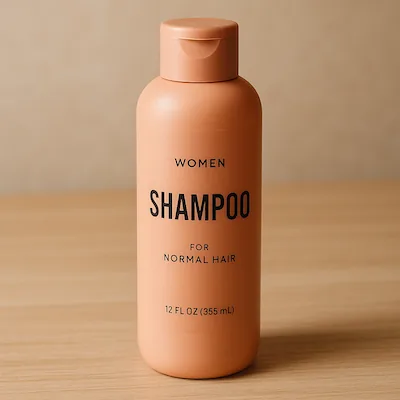
Original product photograph.
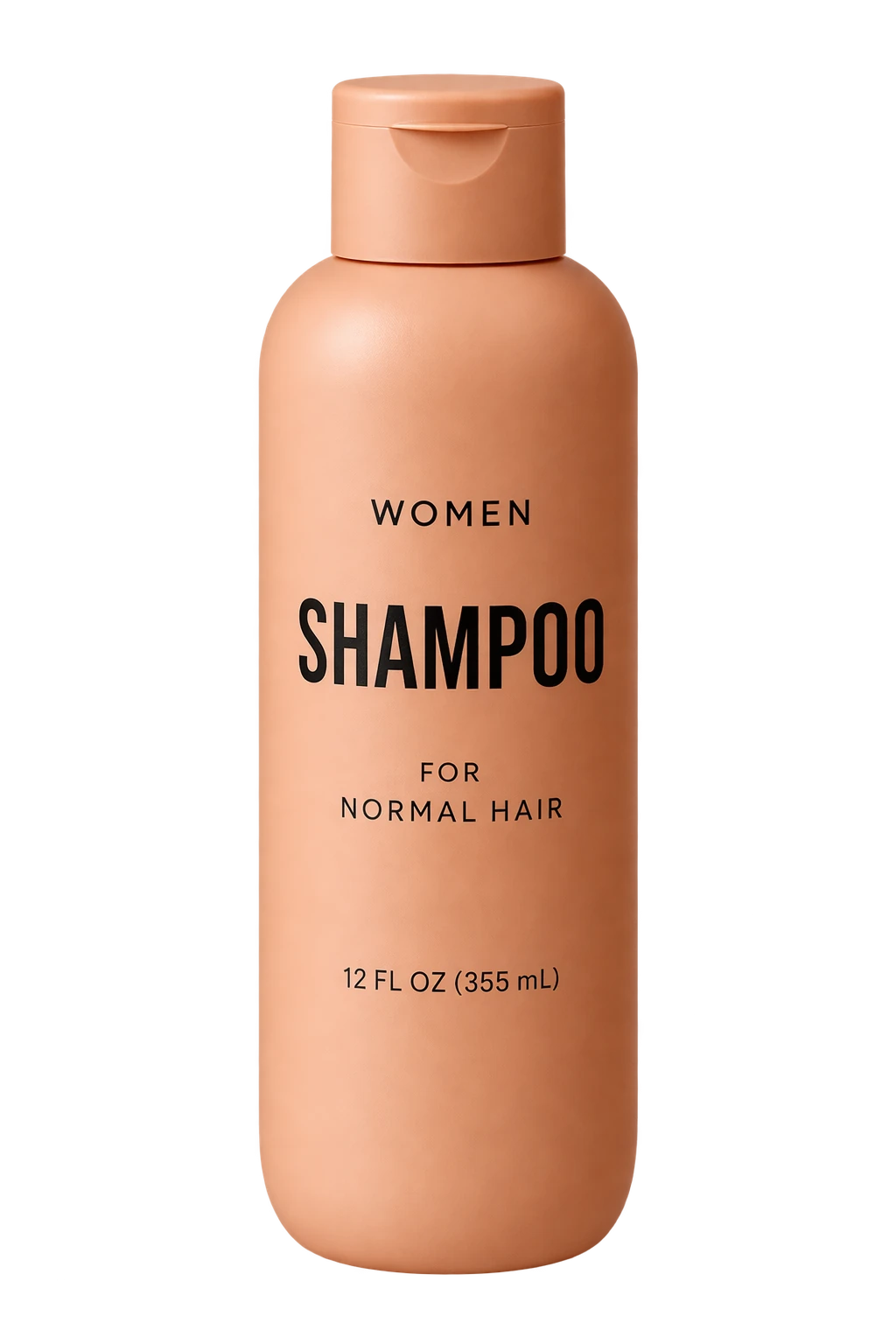
GPT Image 2.5 Flare cutout.
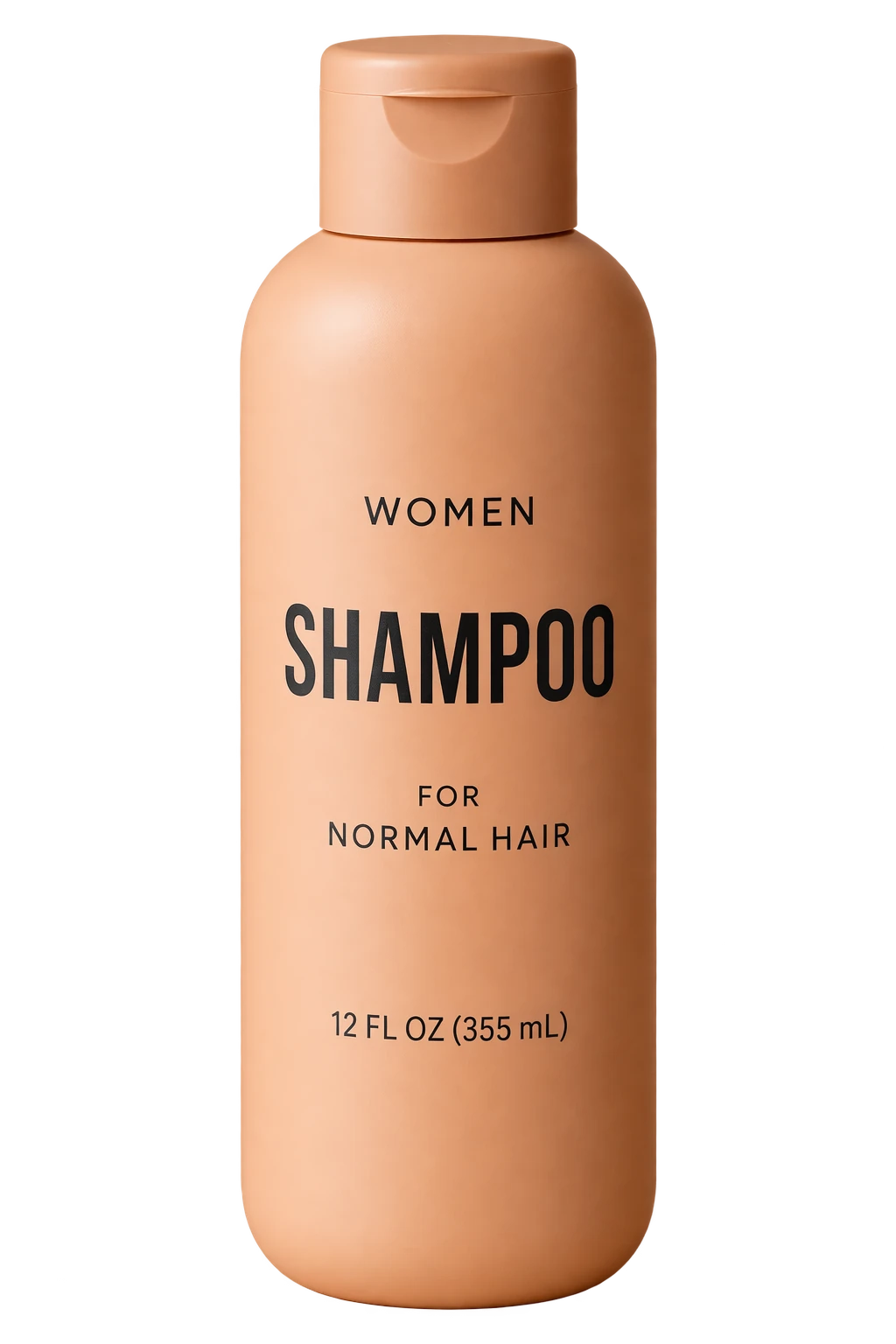
GPT Image 2.5 Sunburst cutout.
When a client approves most of an image and asks you to change one detail, use a mask to guide the edit. Recheck the area outside the mask as well as the edited region. A mask guides the model and can leave changes beyond its outline. For a chain of edits, OpenAI’s Responses API can carry the image context forward between turns. The second and third revisions are where you can see whether the model keeps the crop and earlier approvals. Successive portrait edits demo
Compare API cost per approved image
MiniMax’s official pricing gives a 4096 × 4096 text-to-image example of about $0.069 on Standard and $0.130 on Highspeed, before launch discounts. These are example totals. Actual bills depend on token usage. MiniMax API pricing
OpenAI lists the same standard token rates for both 2.5 variants, including $30 per million image output tokens, with text and reference-image inputs billed separately. Flare and Sunburst can use different numbers of tokens at the same quality setting. A token rate and a sample job total tell you different things about what a campaign will cost. Flare API pricing · Sunburst API pricing
For a batch, add the charges for drafts, retries, and edits, then divide by the number of approved files. If $0.60 in API calls produces four usable images, the generation cost is $0.15 per approved image. Track retouching time separately. One label repair can matter more to the project than a few cents of API spend.
Run the same bottle test on both models
Start with a product photo you can use, ideally one with a readable label and a distinct cap. For the shared edit test, request 2048 × 2048 PNG from each model with an opaque background. Keep the input, prompt, and number of attempts the same. Record the exact model, mode, and quality setting so you can reproduce a result.
- Replace the background. Try “Place the bottle on pale gray stone with soft side lighting. Keep the bottle silhouette, camera angle, cap seam, and every letter on the label as in the original.”
- Revise the first result. Feed each model its own first output and ask it to soften only the shadow. Compare the second output with both the first output and the original. Check that the label and cap still match, then check the crop.
- Check the final file. Inspect the label and edges at 100%, then view the whole image at its delivery size. Record passes, elapsed time, billed cost, and any minutes of manual cleanup.
Run a second check at the actual delivery settings. For a large master, export at the largest useful size and make the crop your layout needs. For a cutout, place the transparent file on both a light and a dark background. Keep these checks separate from the shared edit test so a file-format requirement and an editing-quality judgment each get a clear answer.
On AI H3 Image, use the MiniMax H3 Image to Image workspace when you already have a reference photo. If you’re starting with a written brief, the MiniMax H3 Text to Image workspace is the relevant starting point.
For the wide hero, pick the workflow that gives you the crop and retains the product details. For the cutout, pick the one that delivers clean edges and intact packaging on both backgrounds. If the brief calls for both files, you can make those decisions independently.